
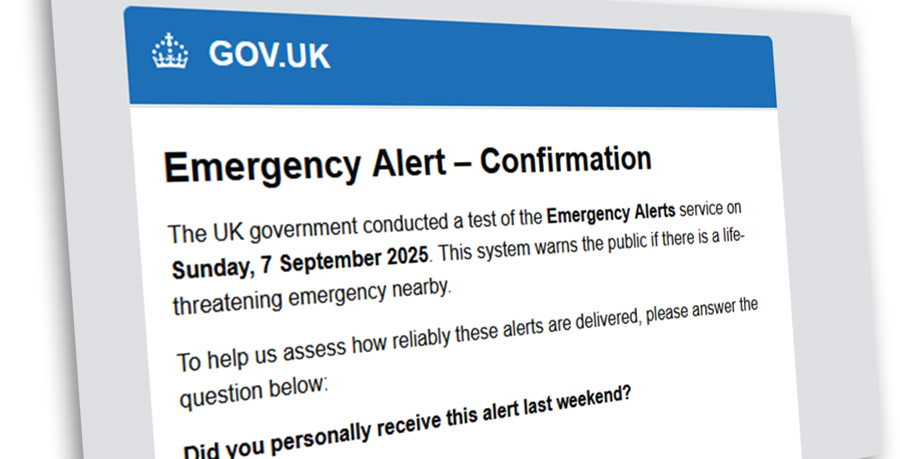
Crooks using fake UK Government Alert Survey email to install Malware
Scammers are taking advantage of the UK’s recent test of the emergency alert system in September 2025 by inviting email users to complete a bogus survey about the alert, asking them if they received it or not.
An example of the spoof email is below.
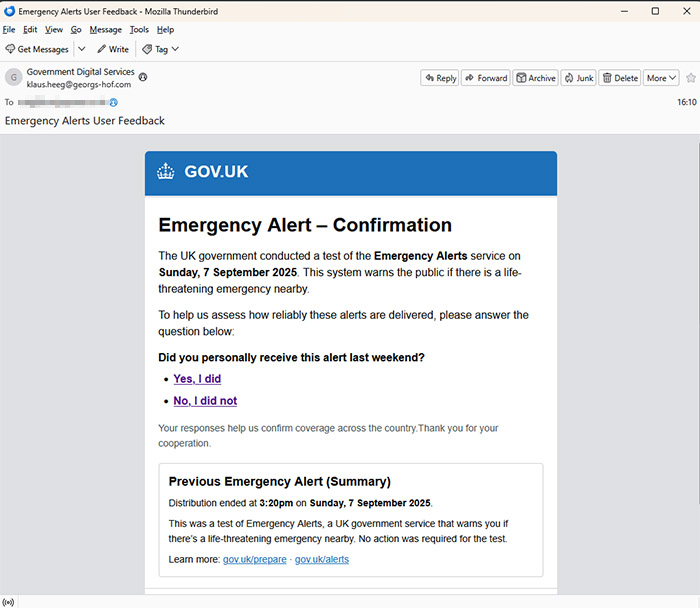
On September 7th, the UK government tested its emergency mobile alert system, sending an alert to mobile phones across the UK. So it might not appear so unusual to get an email from the UK government asking you to complete a quick survey about whether you received such an alert.
But it’s a scam. In fact, it’s a Powershell malware download scam almost identical to one we spoke about recently. You can get more information about how these scams work in our original article here, but we’ll break it down briefly below…
Sponsored Content. Continued below…
Step 1. Scammers send an email which lure you into clicking a link. In the example above, that’s luring you into completing a survey as to whether you received the emergency alert on your mobile phone in a recent test by the UK government.
Step 2. The fake CAPTCHA.
CAPTCHA tests are used legitimately to prove you’re a real person and not a “bot”. However this CAPTCHA is fake, and uses some behind-the-scenes coding magic to copy some Powershell code to your computer once you attempt to do it.
Step 3. The End Game…
The final step of the scam is to ask users to do a series of three things on their keyboard – press Win+R, then press Ctrl+V and finally press Enter. In order, this [1] opens up the Run dialog box on a Windows computer, [2] pastes the copied Powershell code into that box, and [3] executes that code. See below for a near-identical example from a previous scam also using this method.

This ultimately means the victim is executing malicious Powershell code onto their own computer, which will download files from an unknown server on the Internet that will almost certainly be malware.
To reiterate the same advice we gave in the original article…
Firstly, you should be sceptical when clicking on emails like this. Look for the same warning signs you’d look for in any suspicious email. Lack of personal details. Poor spelling. Odd looking From: emails. Common social engineering tricks (“organise a courier delivery” certainly being a common trick). Links leading to fake and unofficial web domains.
Secondly, NEVER EVER follow instructions from untrusted sources that involve you opening your Run dialog box (opened using Win+R or typing ‘Run’ in the Start Menu). Code entered into this can damage your computer.
Continued below...
Thanks for reading, we hope this article helped, but before you leave us for greener pastures, please help us out.
We're hoping to be totally ad-free by 2025 - after all, no one likes online adverts, and all they do is get in the way and slow everything down. But of course we still have fees and costs to pay, so please, please consider becoming a Facebook supporter! It costs only 0.99p (~$1.30) a month (you can stop at any time) and ensures we can still keep posting Cybersecurity themed content to help keep our communities safe and scam-free. You can subscribe here
Remember, we're active on social media - so follow us on Facebook, Bluesky, Instagram and X